Invoicing is one of those tasks that feels straightforward until it isn’t. A missing line item, an unclear payment term, or a template that doesn’t reflect your brand can turn a simple transaction into a drawn-out follow-up. At Easy Retail Flow, we built our platform around the idea that retail operations should move without friction, and invoicing is where that starts. This guide breaks down what goes into a professional invoice and how to get it right the first time.
What Every Retail Invoice Must Include
Before formatting or branding, the fundamentals matter most. A professional invoice is a legal document, and courts and tax authorities in most jurisdictions expect specific information to be present.
A complete retail invoice should always carry:
The business name, address, and contact details of the seller. The customer’s name and billing address. A unique invoice number for reference and audit purposes. The date of issue and the payment due date. An itemized breakdown of products sold, with quantities and unit prices. The applicable tax rate and tax amount shown separately. The total amount due and accepted payment methods.
Missing any one of these can delay payment or create compliance problems during tax filing. Getting this right from the start saves time across every transaction.
Branding Your Invoices for Professionalism
An invoice is often the last touchpoint a customer sees after a purchase. That makes it a small but real brand moment.
A branded invoice doesn’t need to be elaborate. Consistency is what matters. Using your store’s logo, a clean font, and your brand colors signals that the business operates with care. Customers who receive a polished document are more likely to trust the transaction and pay on time.
When stores handle both walk-in and registered customers, having a consistent invoice template across all transaction types keeps the customer experience cohesive. [LINK-PILLAR: retail invoicing and expense management that works across your entire operation] depends on that consistency being built into the system, not manually applied each time.
Customizable invoice templates, applied at the point of billing, are far more reliable than formatting documents after the fact.
Setting Clear Payment Terms
Retailers often skip detailed payment terms because most sales are immediate. But for wholesale orders, service accounts, or B2B customers, the terms printed on an invoice determine when and how money moves.
- Net 7, Net 14, and Net 30 are the most common terms, indicating payment is due within 7, 14, or 30 days of the invoice date.
- Early payment discounts (such as 2/10 Net 30, meaning a 2% discount if paid within 10 days) can accelerate cash flow for retailers with supplier obligations.
- Late payment penalties should be stated clearly, not just implied.
- Accepted payment methods should be listed, including whether bank transfer, card, or cash is accepted.
Ambiguity in payment terms is one of the most common reasons small retailers experience cash flow issues. A clear, printed policy on the invoice itself removes the need for follow-up conversations.
Tracking Invoice Status in Real Time
Sending an invoice is only half the task. Knowing whether it has been paid, is pending, or is overdue is what keeps your books accurate.
Manual tracking, whether in a spreadsheet or on paper, breaks down quickly once transaction volume increases. Retailers who process dozens of invoices daily need visibility into payment status without having to cross-reference multiple sources. When store owners can view recent invoices instantly and monitor payment status in real time, overdue accounts stop slipping through.
This is also where invoicing connects directly to the broader financial picture. Knowing what’s been paid, what’s outstanding, and how that compares to recurring costs gives store owners the data to make sound decisions week to week. Keeping a clean record of business expenses sits alongside invoicing] in any store that wants accurate financial visibility.
Retailers managing multiple outlets benefit most from centralized invoice tracking. Consolidating records from several stores into one view removes the need to reconcile multiple systems at the end of the month.
Staying Audit-Ready Without Extra Work
Tax season is stressful for retailers who haven’t kept organized records throughout the year. Invoices are the foundation of any financial audit, and disorganized records often mean paying an accountant to sort through paperwork that should have been filed systematically from day one.
Staying audit-ready doesn’t require a dedicated bookkeeper. It requires a system that stores, organizes, and retrieves invoice records automatically as part of normal operations.
Every invoice generated should be accessible by date, customer, or invoice number without manual searching. Expense records should sit alongside invoice history so that profitability can be assessed in context. [LINK-PILLAR: simplifying invoicing and expense management as one connected system] means the data is always there when you need it, whether for a supplier meeting, a bank review, or a tax filing.
We built Easy Retail Flow to handle exactly this: invoice generation, payment tracking, and expense management sit within the same platform, so nothing gets lost between tools. Whether you run a single store or multiple branches, keeping your billing records clean is one of the highest-return habits a retailer can build.
Start by getting your invoice template right. The rest follows.
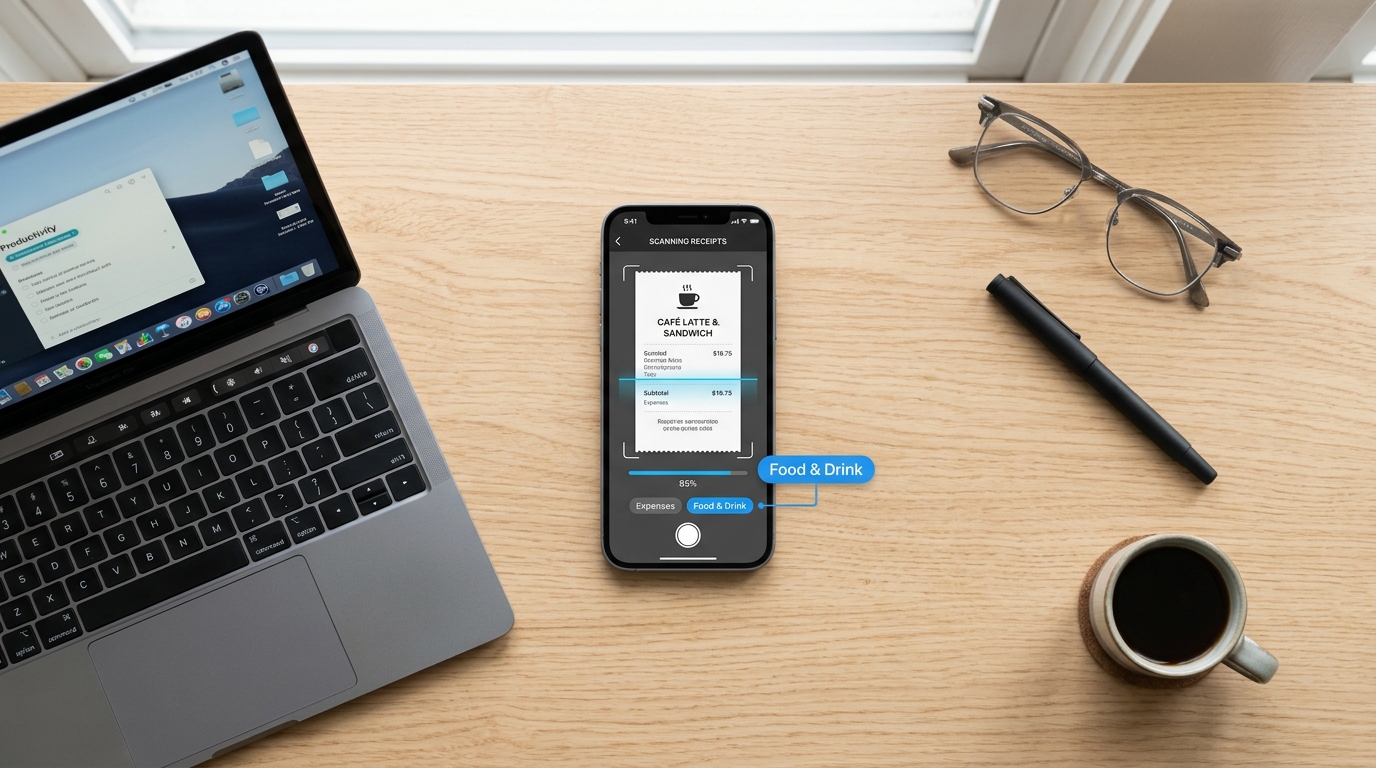
Easy Retail Flow’s Invoicing and Expense Management feature lets retailers generate professional invoices, track payment status in real time, and manage expenses with customizable categories, all from one platform.