The Complete Guide to POS Systems for Retail Businesses
Every retail business, regardless of size or sector, reaches a point where the tools managing its daily operations either support its growth or limit it. The point-of-sale system sits at the centre of that equation. It is where revenue is generated, where stock is consumed, where customer interactions are recorded, and where the data that drives business decisions originates. Getting it right is not a peripheral technology decision — it is a foundational operational one.
We built Easy Retail Flow as a unified retail management platform because the gap between what a modern POS system should do and what many retailers are actually running on is wider than it should be. This guide covers the full picture: what a POS system is, how it works, what to look for, and how to make the right choice for your store.
What a POS System Actually Is
The term “point of sale” is older than the technology. It originally referred simply to the location where a transaction occurred. Today, a POS system is the software and hardware infrastructure that processes that transaction and connects it to every other operational layer of the business.
At its most basic, a POS system records a sale, calculates the total, processes payment, and generates a receipt. At its most capable, it updates inventory in real time, logs the transaction against a customer profile, adjusts sales reports instantly, triggers low stock alerts, and feeds data into expense and profitability tracking without any manual input from staff.
The distance between those two descriptions is the distance between a billing tool and an operations platform. Most retailers benefit from the latter, and the gap in understanding what is available is often what keeps them running on less.
The Core Components of a Modern POS System
A POS system is not a single piece of software. It is an ecosystem of connected components, and understanding each one helps clarify what to look for when evaluating options.
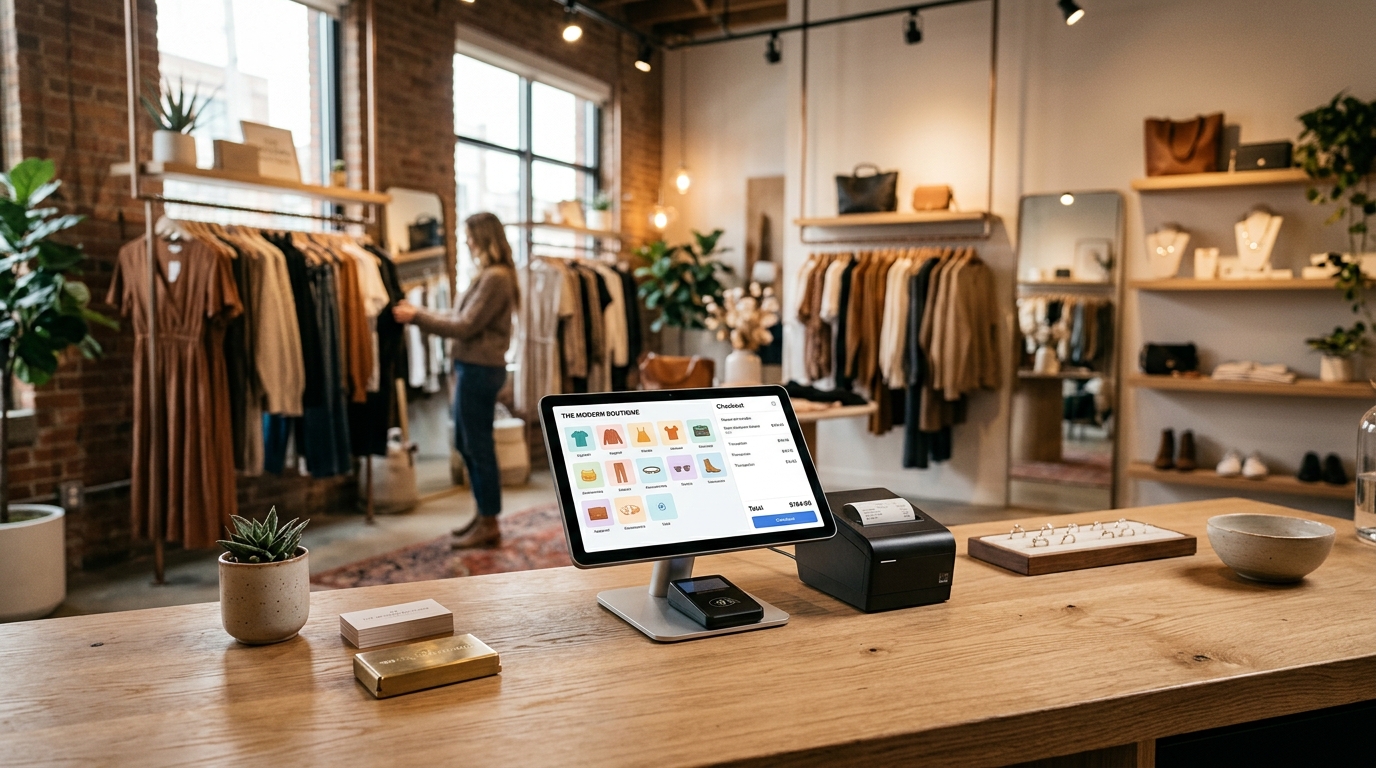
The POS Interface is the front-end billing screen where transactions are processed. It handles product selection, customer identification, discount and tax application, payment processing, and receipt generation. The quality of this interface determines checkout speed and accuracy more than any other single factor.
Inventory Management connects directly to the billing layer so that every sale automatically adjusts stock levels. This component handles product organisation by category, brand, model, and unit type, manages stock adjustments through approval workflows, and generates alerts when items fall below set thresholds.
Sales Reporting and Analytics draws from transaction data to produce performance insights. This includes sales history by period, top-selling products, payment method breakdowns, cart histories, and trend analysis that informs purchasing and operational decisions.
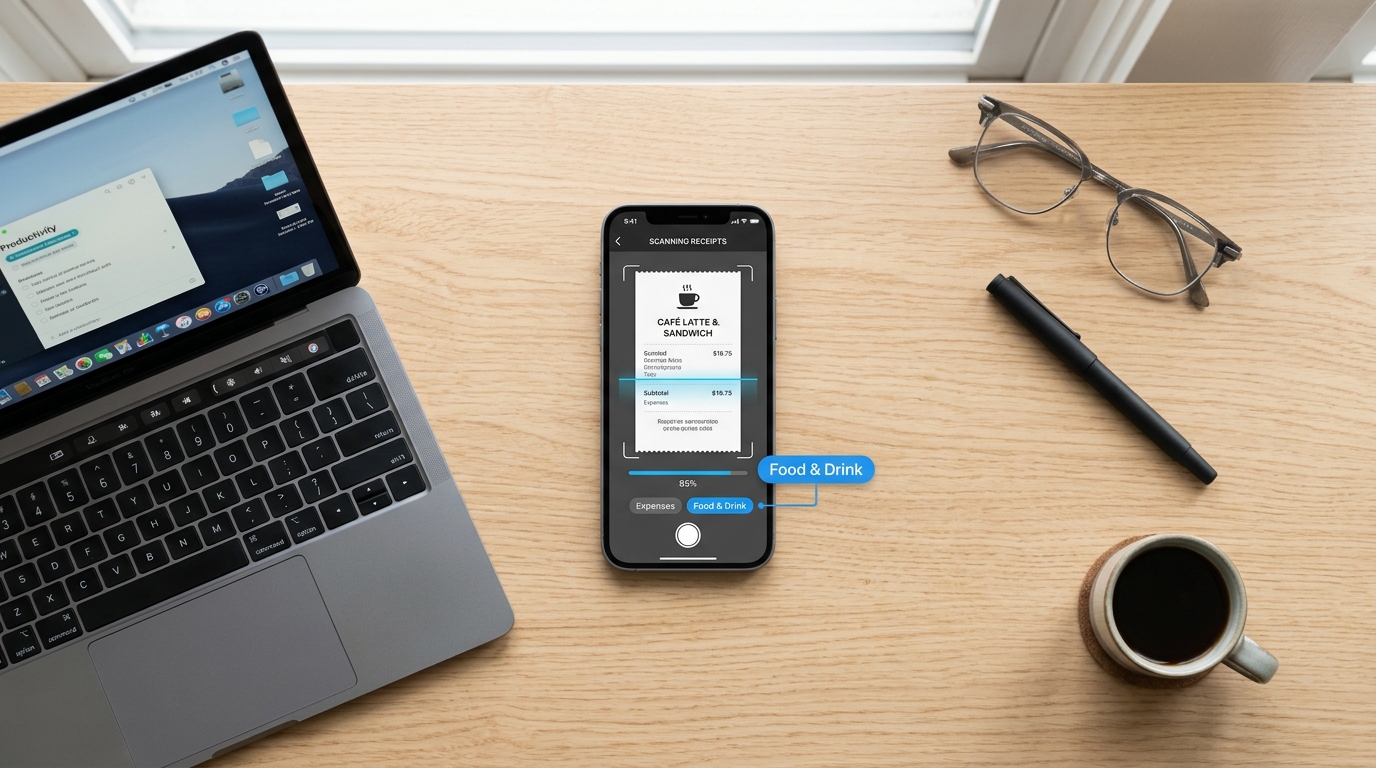
Invoicing and Expense Management sits alongside the sales layer to provide a complete financial picture. Invoices are generated per transaction, and expenses are tracked by customisable category so that profitability is visible rather than inferred.
Employee and Task Management controls who can access which system functions, assigns roles with appropriate permissions, and tracks staff activity across the platform.
Multi-Store Control extends all of the above across multiple locations from a single centralised dashboard.
How POS and Inventory Work Together
Of all the integrations within a modern POS platform, the connection between billing and inventory is the one that has the most immediate operational impact.
When the two are separate — a POS that records sales and an inventory system updated manually or on a delay — the business is always operating on incomplete information. Stock counts drift from reality. Overselling happens. Shortages are discovered at the counter rather than before the customer arrives.
Real-time integration means the moment a transaction is completed at the POS, the inventory layer reflects it. No batch processing, no overnight sync, no manual reconciliation. The stockroom and the billing screen show the same data at all times.
[LINK-CLUSTER-How POS Systems Integrate with Inventory and Reporting: The practical difference between a connected POS-inventory system and a disconnected one shows up in stock accuracy, decision speed, and the volume of manual work required to keep data aligned]
This live connection also enables structured product data — categories, brands, multiple unit types, and per-store stock assignments — to sit within the same platform that processes sales, making the entire catalogue accessible at the checkout screen without switching tools.
What Good Reporting Looks Like
Most retailers underuse their POS reporting because the reports either require too much effort to generate or do not surface the information that drives decisions.
Good reporting in a modern POS platform is not a scheduled export. It is a live view of the business that is accessible at any point, covering any period, without preparation. Sales history, payment method analysis, top-performing products, cart behaviour patterns, and expense tracking by category are all drawn from the same data layer that records each transaction.
[LINK-CLUSTER-POS Features Every Retail Store Needs in 2026: The reporting layer is one of the features that separates a POS system that serves a growing retail business from one that simply records what happened at the counter]
The most useful reports connect revenue and cost. Seeing that a store generated strong sales in a period is one data point. Seeing what it cost to generate those sales, broken down by expense category, is the information that actually drives margin decisions. A POS platform with integrated expense tracking makes that connection visible by default.
Single Store vs Multi-Store: How Requirements Shift
A retailer operating one location and a retailer managing three branches have meaningfully different POS requirements — not in the features they need, but in how those features need to work together.
For a single-store operator, the priorities are straightforward: fast checkout, accurate inventory, clean reporting, and clear pricing controls. The system needs to handle daily operations reliably without adding administrative overhead.
For a multi-store operator, every one of those requirements gains a layer of complexity. Inventory needs to be tracked independently per outlet while remaining visible in aggregate. Reports need to show individual store performance and consolidated network performance. Staff access needs to reflect different roles across locations. Pricing rules need to apply consistently without requiring manual alignment at each branch.
[LINK-CLUSTER-POS System for Multi-Store Retailers: Key Considerations: The architectural decision between a centralized multi-store platform and separate per-location systems has long-term operational and cost implications that are worth understanding before the second outlet opens]
The system architecture that supports multi-store operation cleanly is a centralized platform where all locations share the same data environment, rather than separate instances that require manual bridging.
Pricing Models and What They Actually Cost
POS system pricing is one of the areas where retailers most frequently encounter surprises, and understanding the full cost structure before committing is essential.
The models in use across the industry vary significantly:
Traditional on-premise systems typically require hardware purchase, software licensing fees, professional installation, and ongoing IT maintenance. The upfront cost is high, and the total cost of ownership over three to five years is rarely calculated at the point of decision.
Cloud-based subscription models distribute costs monthly and typically include software updates, security patches, and infrastructure maintenance within the subscription fee. Hardware requirements are lower because the software runs in a browser rather than on a dedicated local server.
The questions worth asking before committing to any pricing model: Are there per-user fees that scale with staff count? Is multi-store access included or gated behind a higher tier? Are feature updates included in the subscription or charged additionally? Are there setup, onboarding, or installation fees?
A transparent flat subscription that includes the full feature set without tiered gating is the structure that gives retailers the clearest picture of what they will actually pay.
Cloud-Based vs Traditional: The Structural Difference
The choice between a cloud-based and on-premise POS system shapes the operational experience in ways that go well beyond software preference.
Traditional systems store data locally, on hardware the business owns and maintains. This creates full independence from internet connectivity but introduces hardware failure risk, manual backup requirements, and update cycles that require IT involvement and can cause downtime.
Cloud-based systems store data on remote servers, accessible through the internet. Updates apply automatically at the infrastructure level. Hardware requirements drop significantly. Remote access to sales data, inventory levels, and reports is available from any connected device.
For multi-location retailers, cloud architecture is not just convenient — it is the mechanism that makes centralized visibility possible. Data from every outlet feeds into one dashboard in real time, without the manual aggregation that on-premise multi-store setups require.
The practical question about internet dependency is real, and modern cloud systems address it through offline modes that allow basic transaction processing to continue during connectivity interruptions, syncing back when the connection is restored.
Staff Management and Access Control
A POS system is used by multiple people with different roles, different responsibilities, and different levels of authority over business-critical functions. The access control layer is what ensures each person operates within their appropriate remit.
Without role-based permissions, any staff member with system access can theoretically apply unauthorised discounts, adjust stock without oversight, or access financial reports they have no business reason to view. The financial exposure is real, and the absence of an audit trail makes it impossible to trace where errors or losses originated.
Role configuration should be part of the initial setup, not an afterthought. Cashiers get billing access. Store managers get reporting and stock visibility. Owners get the full system view across all functions and locations. Task assignment and performance monitoring across branches keeps managers connected to operational activity without requiring physical presence.
Choosing the Right System: A Framework for the Decision
Retail businesses evaluate POS systems differently depending on their size, sector, and operational complexity, but the framework for making the decision well is consistent across contexts.
Start with operations, not features. Map how the store actually runs — transaction volume, customer types, pricing complexity, staff count, number of locations — before looking at software. This grounds the evaluation in real requirements rather than vendor feature lists.
Identify the non-negotiables. Fast billing, real-time inventory, accurate reporting, and transparent pricing are the load-bearing features. A system that handles these well will cover the daily operational needs of most retail businesses. Features beyond this are valuable but not primary.
Evaluate the total cost honestly. Monthly subscription fee, hardware requirements, per-user charges, feature tier gating, setup fees, and support costs all factor into the real price of the system over a twelve to twenty-four month period.
Consider the growth trajectory. A system that works for the current store should also work for the next one. Choosing a platform designed for multi-store operation from the start removes the migration risk that comes with outgrowing a system mid-expansion.
Test the support model. A POS system is mission-critical infrastructure. The vendor’s support quality and response time is not a secondary consideration — it is part of what the business is paying for.
How the Checkout Experience Reflects the Whole System
[LINK-CLUSTER-How a Modern POS System Speeds Up Checkout: The checkout counter is where every back-end configuration decision becomes visible — inventory accuracy, pricing rules, staff access, and system speed all converge in the moment a customer is standing at the register]
Checkout speed is the most visible output of a well-configured POS system, but it is not a feature in isolation. It is the result of every upstream decision being correct. Product data that is clean and searchable. Pricing rules that are pre-configured rather than manually applied. Inventory that reflects actual stock so no surprises arise at the counter. Staff who have been trained on an intuitive interface rather than a complex one.
The stores where checkout flows well are the stores where the setup was done thoughtfully, the configuration reflects how the business actually operates, and the platform connects billing, inventory, and reporting into a single coherent system rather than a collection of tools that approximate coherence.
This is what a POS system at its best actually delivers: not just a faster register, but a more accurately run retail operation.
From Understanding to Operating
A POS system is worth the time invested in understanding it properly. The decision affects daily operations, staff workflows, inventory accuracy, financial visibility, and the quality of decisions the business can make from its own data. Getting it wrong means managing workarounds. Getting it right means the technology disappears into the background and the business simply runs better.
Easy Retail Flow brings POS billing, real-time inventory, sales reporting, expense tracking, invoicing, multi-store control, and employee management into one platform with a single all-inclusive subscription, no hidden costs, no setup fees, and no feature gating across tiers. It is built for retail businesses at every stage — from a single first store to a growing multi-branch operation — and it is designed to be operational fast. If you want to see the full platform in action across your specific use case, request a free demo and our team will walk you through it.